Infra Assistant: harder to miss, easier to use!
Finding Infra Assistant used to take a few clicks. Reading its history meant opening a dropdown. Giving it more room on screen wasn't really an option. You asked, and we listened. So, now that changes, and more!
Here’s what is changing:
You now land on the new Assistant page by default when you open Spacelift, unless you've already set a different homepage.
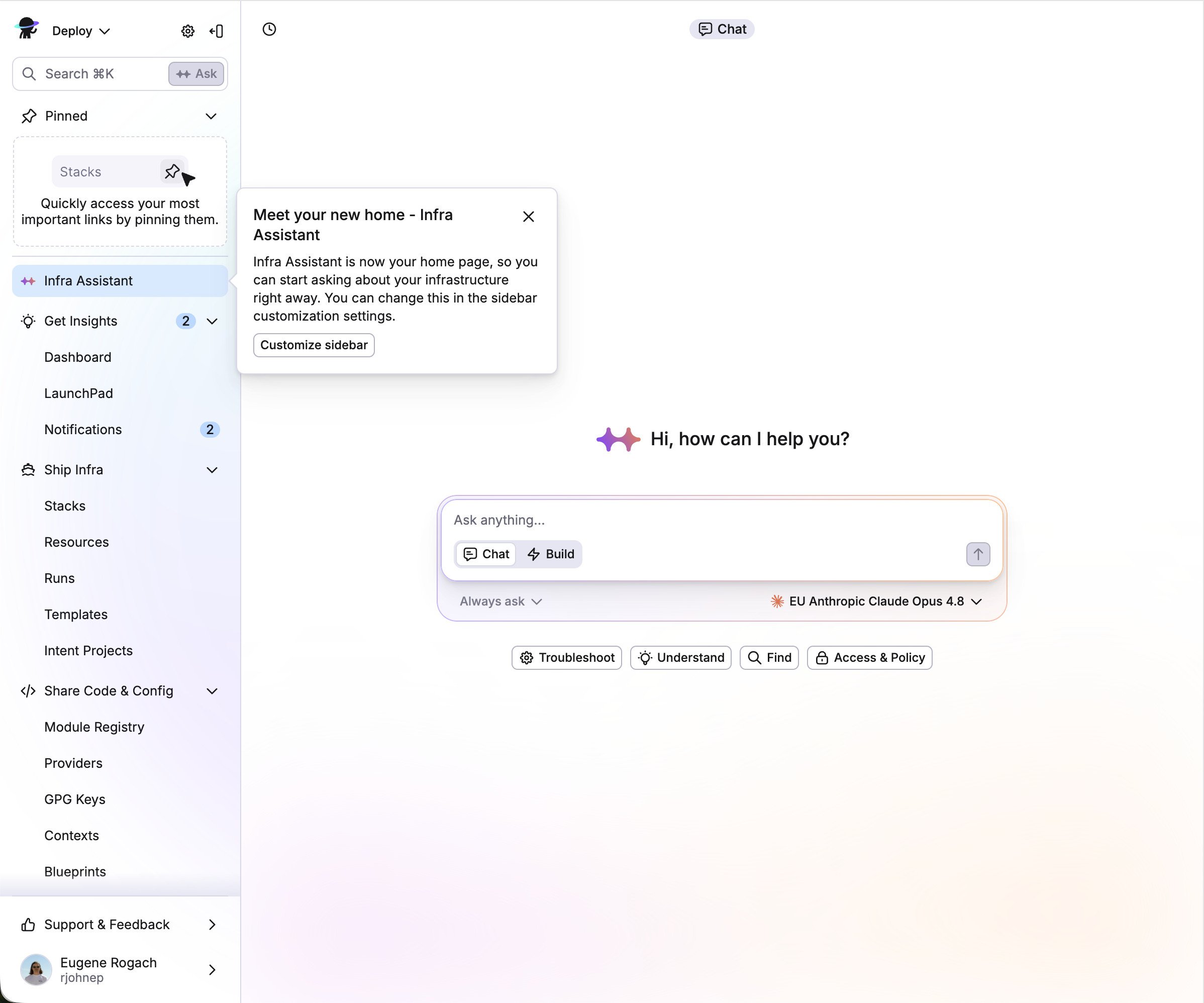
Infra Assistant moved up in the main navigation and opens straight into that page now. Want it scoped to what you're looking at instead? Hit Ask in quick search.
The assistant got a rework: controls adapt to your screen size, chat history lives in a side panel instead of a dropdown on wide screens, and the quick-command examples got refreshed too.
Set approval mode to always ask and review every step, or switch to auto and let it run with less supervision.
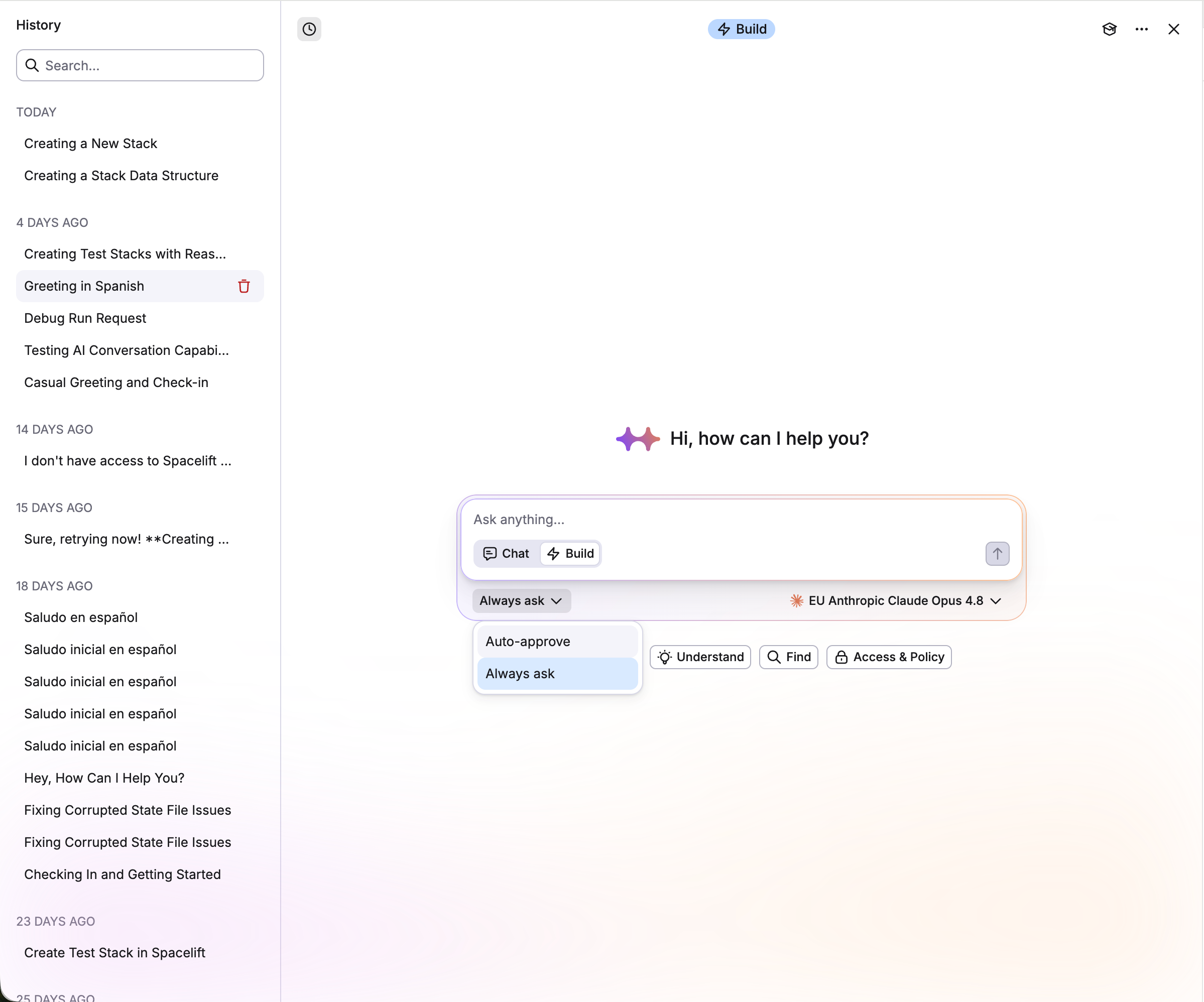
Switch to full-screen from the modes dropdown, or double-click the panel header when you're in floating mode.
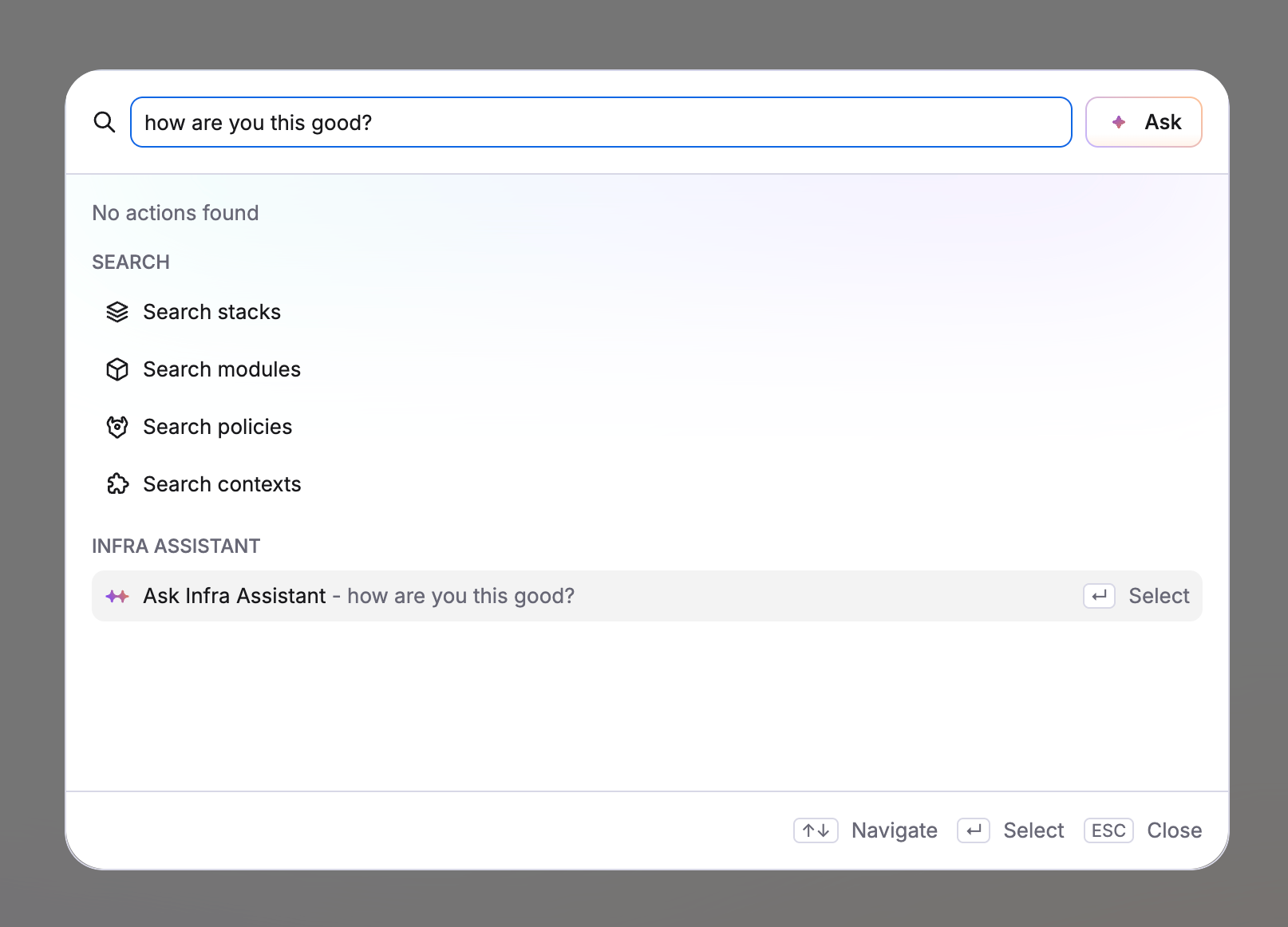
Quick search comes up empty? Ask the assistant directly, or hit the button next to the input to send your text in as a prompt instead of retyping it.
Collapsed navigation now previews on hover, so you can see what's there without clicking in. Pin it open if you'd rather keep it visible.
Creating a stack now has choices: the traditional way, or by asking the assistant.
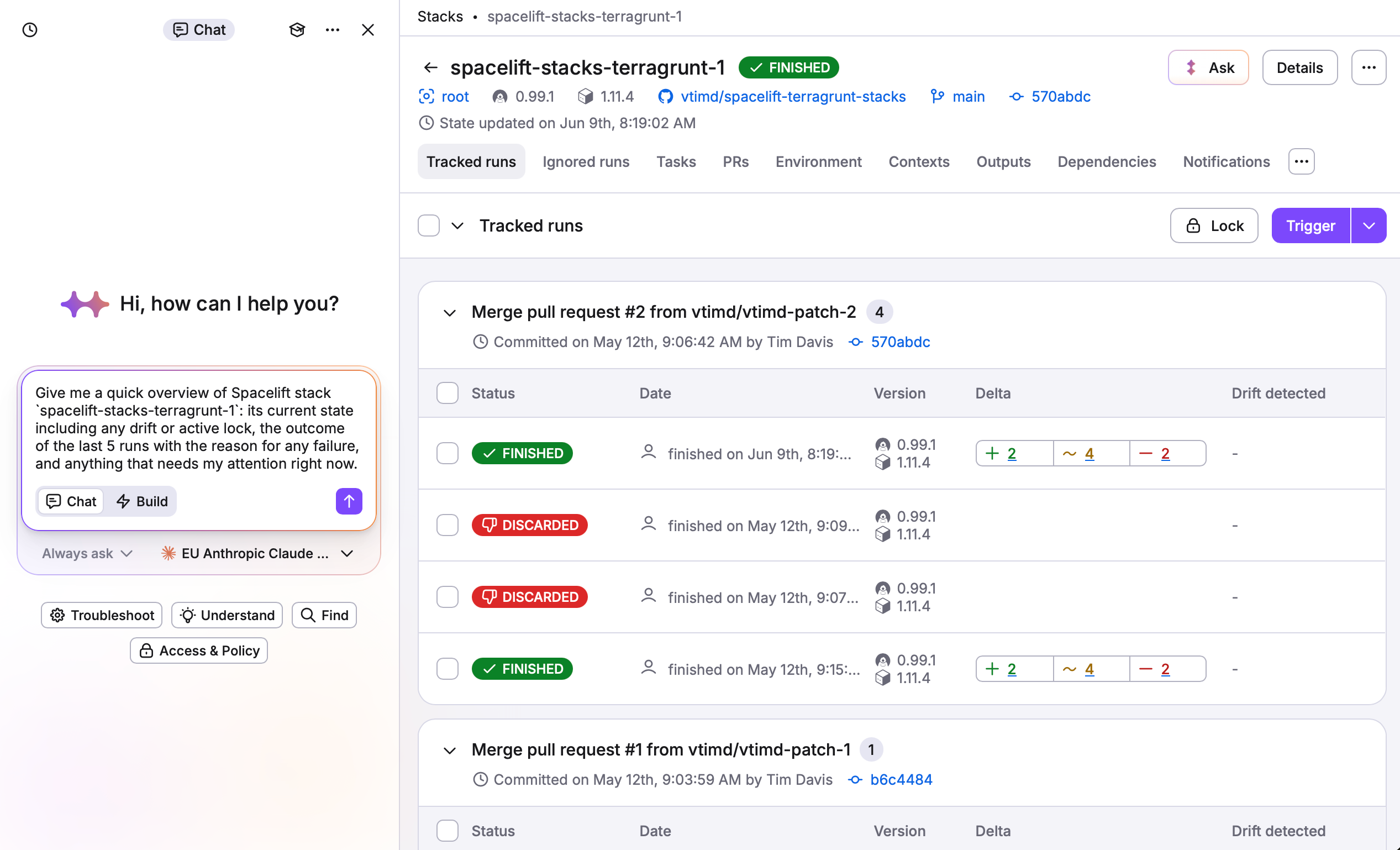
Stacks also get their own Ask button, so you can check what's going on with a stack without leaving it.
These updates are pushed out and ready to go. Set a homepage if you don't want the new default, and give auto mode a try if you've been approving every step by hand. As always, take it for a spin, and tell us what you think. We always love to hear your feedback.