Spacelift Flows Automates Day 2 Operations
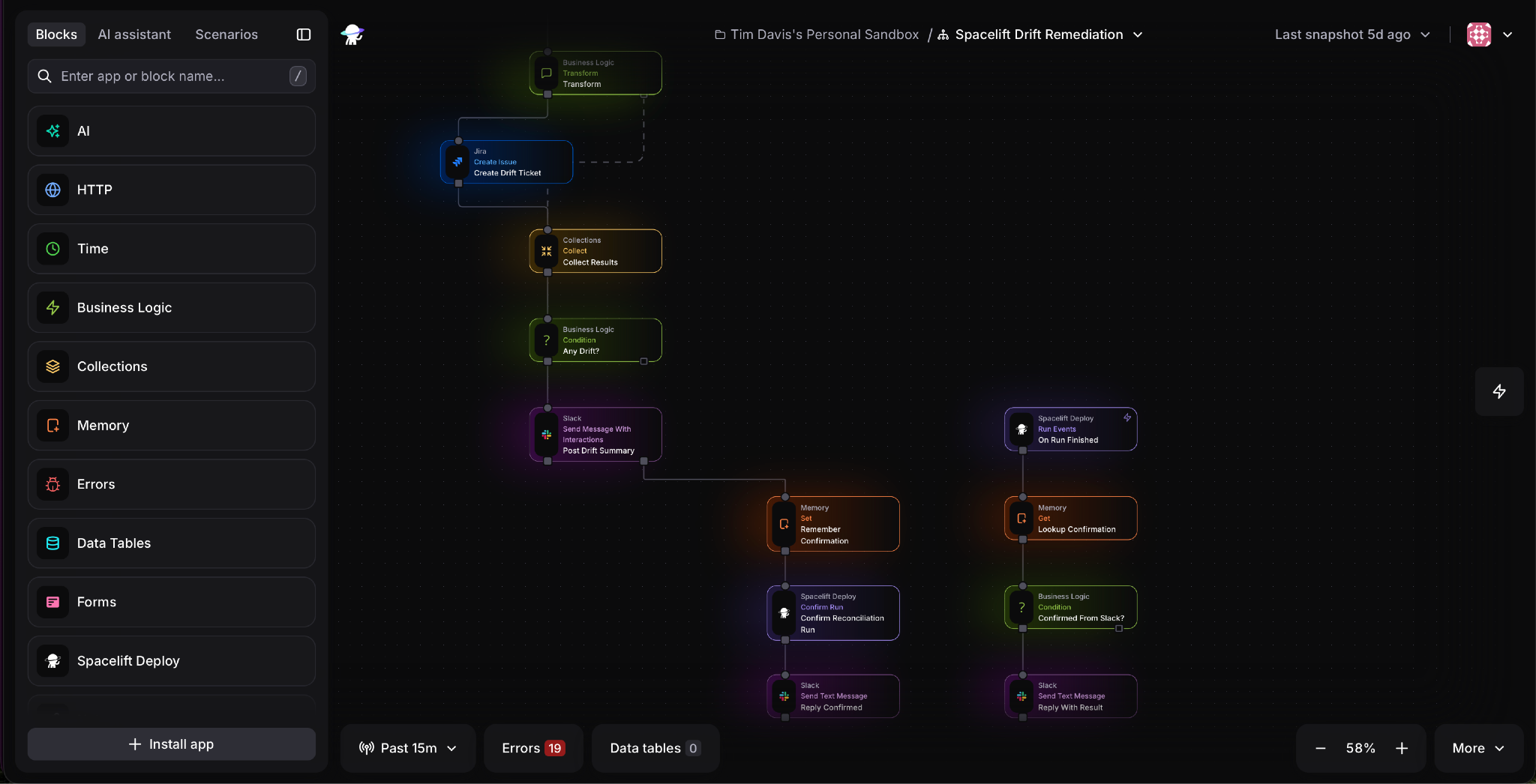
Your applies run through policy and review, but alerts, incident response, and cleanup still run on scripts nobody can see. Flows is the Day 2 operations layer of the Full-Stack Infrastructure Orchestration Platform. It puts that work on an event-based canvas with a step-by-step execution trail, and when a run fails, you replay the whole flow or only the part that broke.
Build a flow by dragging blocks onto the canvas, describing it to the AI assistant in Flows, or calling the Flows MCP server from your own AI client. You can also write the code yourself. Every flow is defined in YAML with JavaScript, so you can copy it out or keep it in Git and ship it through the spacelift-io/flows Terraform provider. Block config reads upstream data with outputs.<block>.<field> and secrets with secrets.<KEY>. Pre-built blocks cover integrations like AWS, Kubernetes, Terraform, Datadog, PagerDuty, Jira, and Slack, with no containers to build or hosting to set up.
The MCP Tool block exposes a flow as an MCP tool with a JSON Schema input. Agents call it as themselves, and an approval gate pauses the run for human sign-off, with both recorded in the audit trail. Agent access can run inside your VPC, on-premises, or air-gapped.
Spacelift Deploy events trigger flows, and flows trigger runs. Route drift alerts to Slack and Jira, or gate each stage of a dev, staging, and production rollout on a Slack approval.
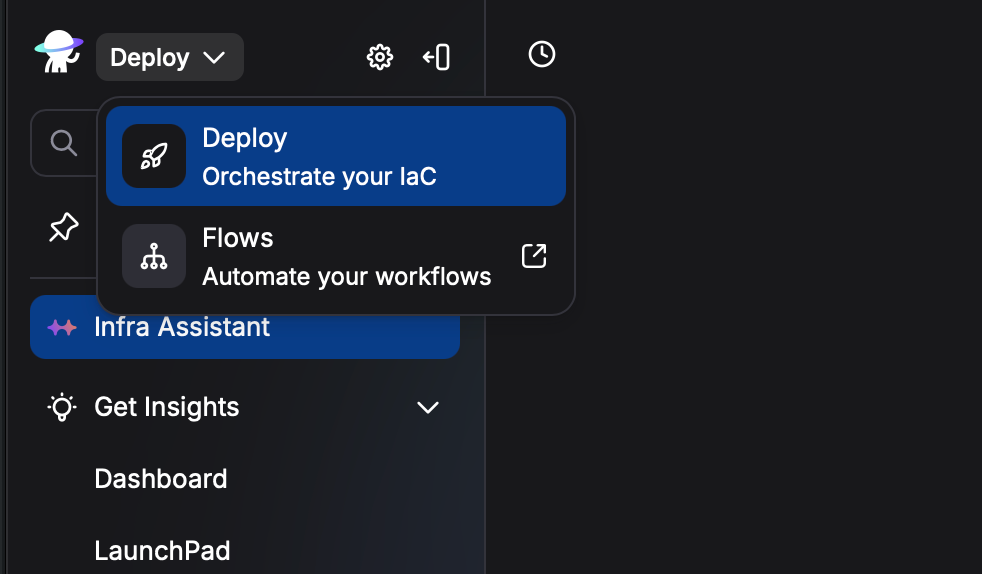
Open the app switcher in the top left of Spacelift Deploy and select Flows. Start from one of 40+ templates, including Kubernetes namespaces with resource quotas, PostgreSQL management forms, and environment vending with multi-level approvals.