Introducing Bulk Actions
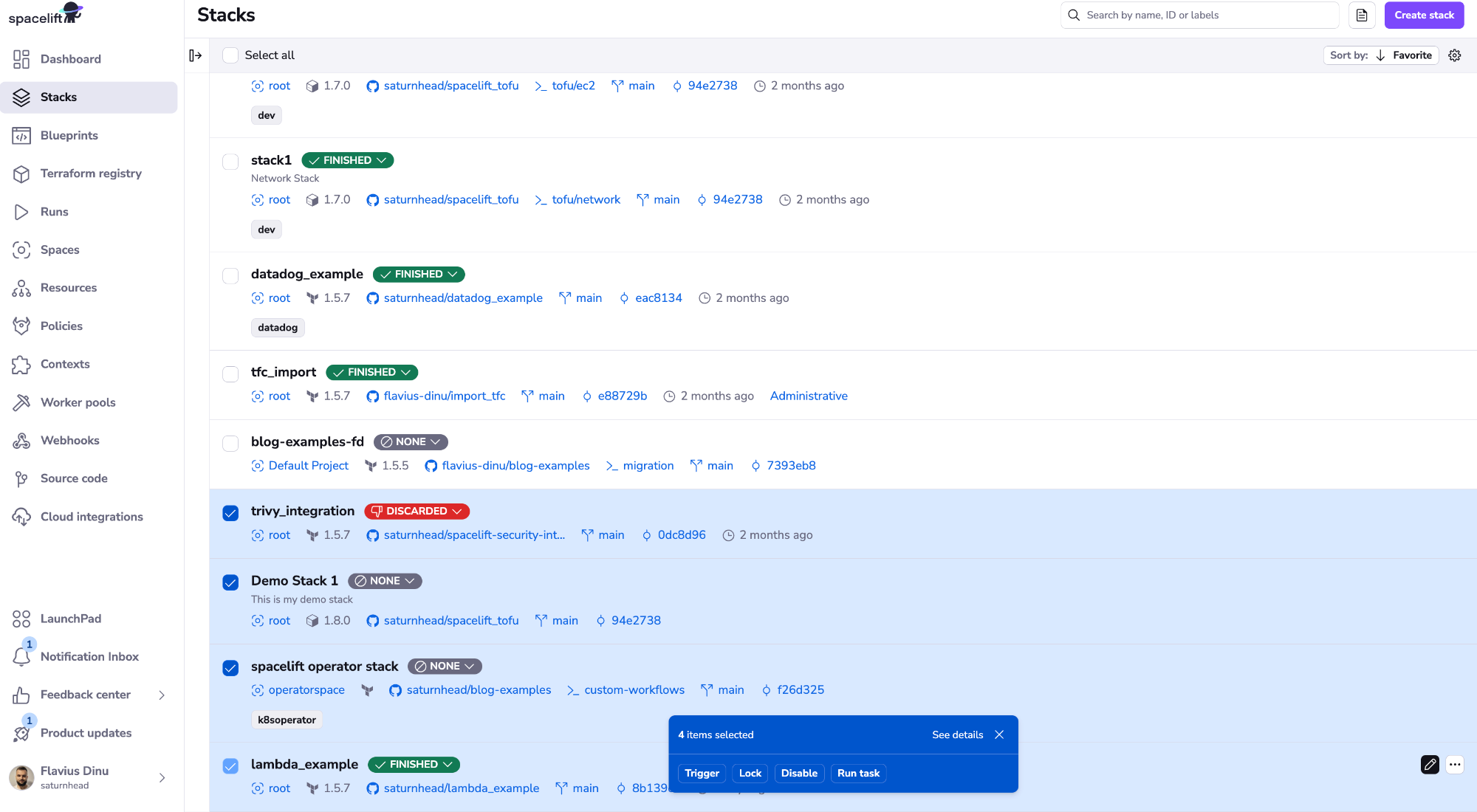
We are excited to announce that now you can perform bulk actions on various entities, making Spacelift management from the UI easier:
- Stacks (list and runs)
- Runs (views and changes)
- Modules
- Notifications
- Private Worker Pools
- Worker pools queued runs
To leverage bulk actions, you will need to go to a view that supports it from the ones mentioned above, and select one or more entities. After you start selecting, a floating bar will appear at the button of the screen, which will show you many items you've selected and what are the available actions for those items.
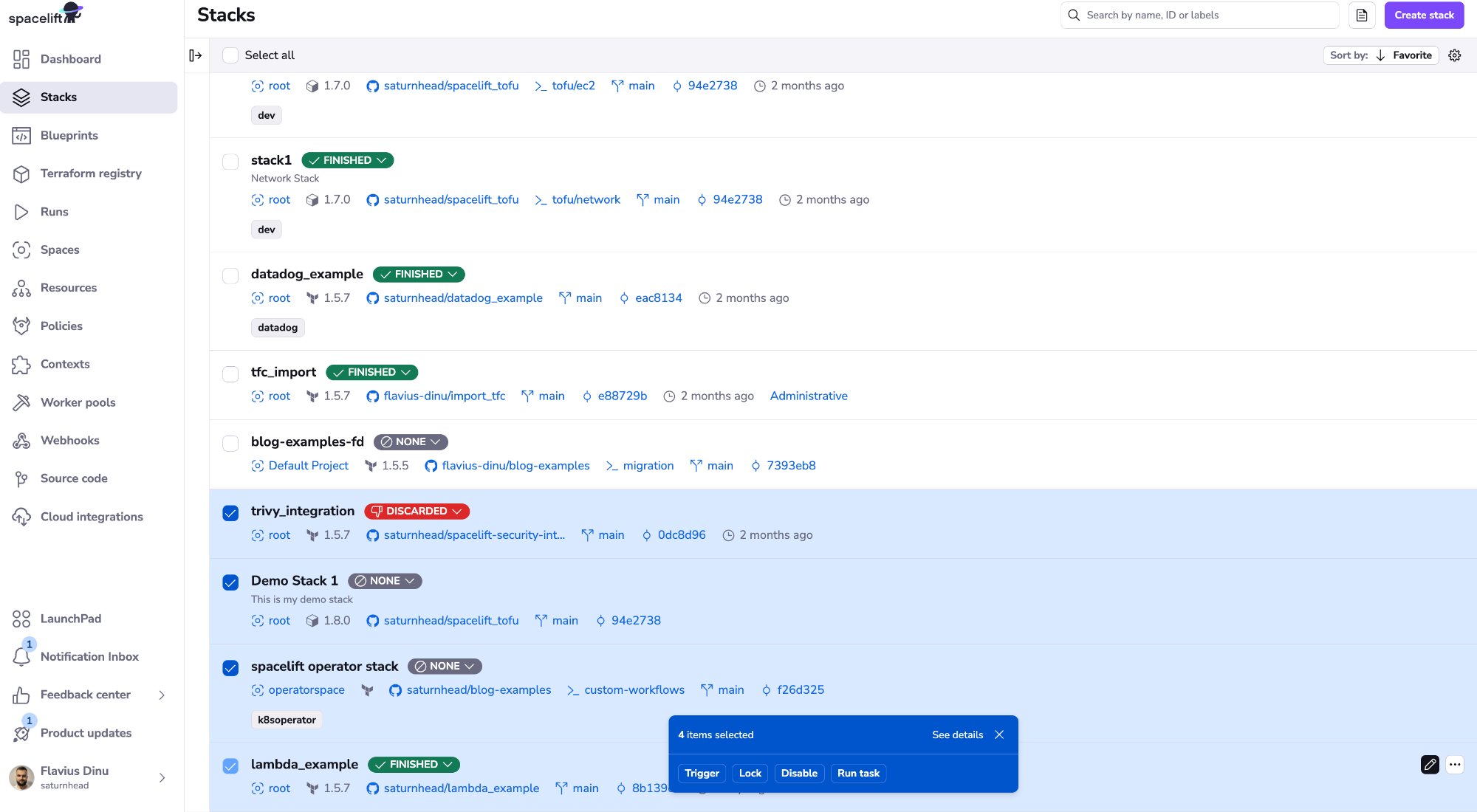
If you click on the See details button, you will see a more detailed view of what items you have selected, and then you can easily remove items that you have selected by mistake, this would be especially useful if you want to perform bulk actions on a lot items at the same time.
In case you want to stop the actions you are performing, you could either click on Stop all or the Stop button available for all queued items.
As always, we welcome feedback so don’t hesitate to reach out with your thoughts, or any questions you have regarding new features.